
Pro Plumbers · 26 November 2026
Why is my heating thermostat not responding?
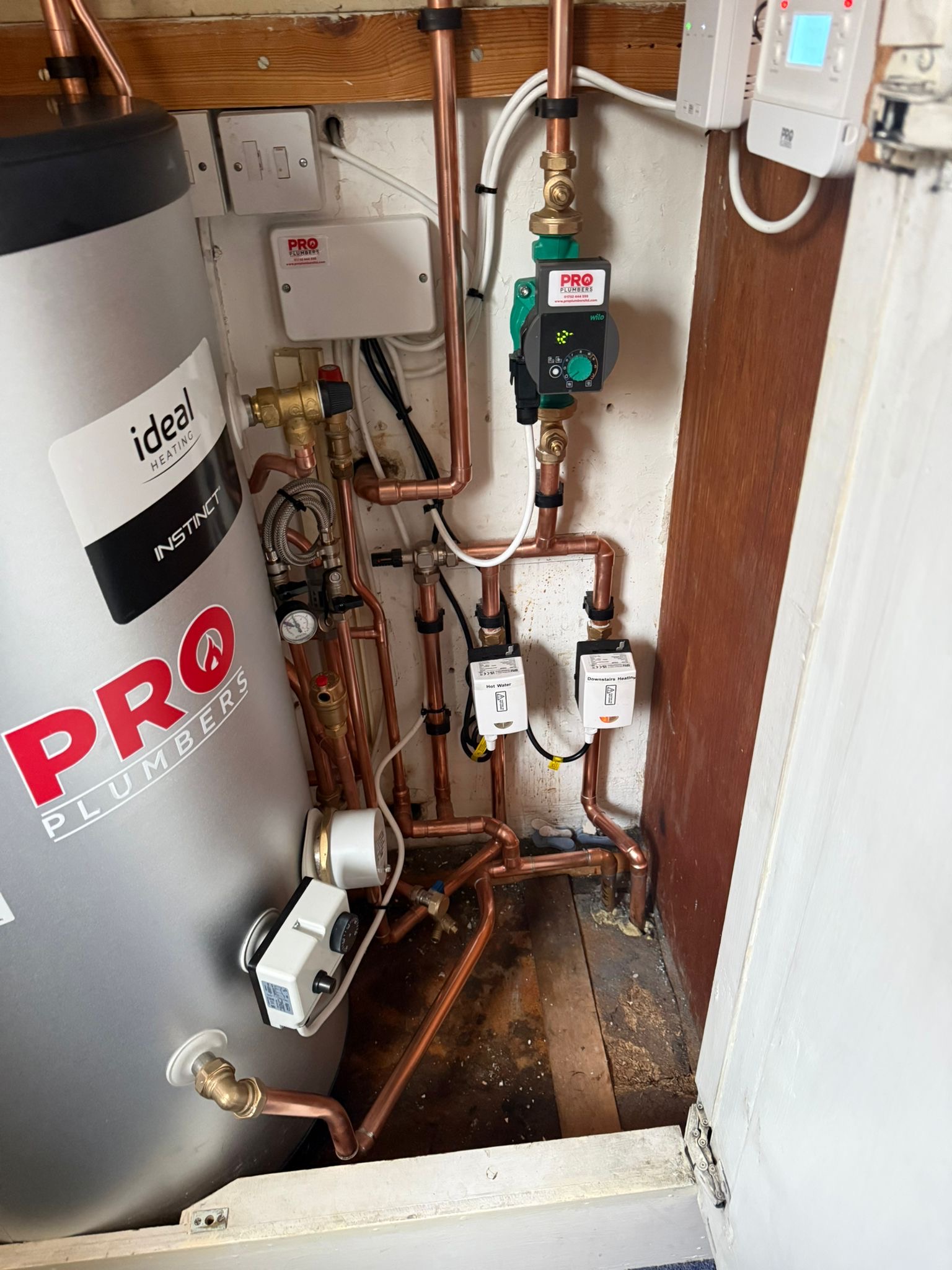
A blank thermostat, a display that changes normally and a thermostat that appears to call for heat are three different clues. The heating may fail to respond because of power, settings, communication, a receiver, a motorised valve or the appliance itself. Replacing the wall unit immediately can miss the actual fault.
Safe checks use the manufacturer's ordinary controls only. Do not remove wired covers, bridge terminals or open a wiring centre. The aim is to identify what request is being made and what the rest of the system does with it.
Record what the display and indicators show
Take a clear photograph of the thermostat and any receiver or control box indicators that are visible without removing covers. Note whether the screen is blank, shows a low-power symbol, displays a flame or heat symbol, or reports a connection problem.
Also record the current room reading and target setting if shown. A thermostat that is already satisfied will not request more heat simply because you touch the controls. Avoid guessing from the appearance of another model in an online photograph.
Check the schedule and manual override
Look for a programmed off period, holiday mode, setback temperature or another setting that might override your expectation. Use the manual to make a straightforward temporary demand for heat, then allow for the system's normal response time.
Do not repeatedly switch between heating and hot water or change advanced installer menus. Our programmer clock guide covers the separate problem of a control losing its time. If the schedule is correct, leave it stable while you gather the remaining observations.
Follow the manual for batteries or owner power checks
Where the thermostat uses owner-replaceable batteries, follow the stated type and replacement procedure. A low-power warning should not be ignored. If the unit is wired or rechargeable in a particular base, do not prise it apart or experiment with a charger.
Check only a clearly accessible user power switch or consumer-unit indication if the manual directs you to do so and there is no damage or moisture. Never open electrical enclosures. A blank display after a power interruption needs the correct restart procedure for that model.
Communication faults differ from heating faults
A wireless thermostat may lose communication with its receiver while the boiler is otherwise capable of operating. Smart systems can also show an application or network problem. Wi-Fi availability alone does not prove that the heating demand is reaching the receiver.
Our smart thermostat guide explains the general components and compatibility questions. Follow only the documented user pairing or reconnection procedure, and do not open the receiver. Record any status lights before and after the permitted attempt.
Compare heating and hot water demands
If your system separately controls heating and hot water, note whether either function responds normally. Do not repeatedly cycle them as a test. One working function and one inactive function can help narrow the path through programmers, valves and wiring.
Our heating demand guide explains how shared components can produce misleading symptoms. If neither function works, the boiler or a shared control may need investigation. A thermostat is only one link in that sequence.
Room position can create misleading behaviour
A thermostat near a heat source, in direct sun or in a draught may not represent the room you are trying to warm. That can lead to early shut-off or continued demand even where the device is functioning. Moving it is not simply a decorative decision.
Do not relocate a wired thermostat yourself. Note nearby radiators, cooking appliances, windows and whether the room differs from others. An engineer can consider placement alongside control testing rather than assuming an inaccurate display is the whole problem.
Valves and boiler responses need professional testing
A motorised valve can fail to move, a receiver can fail to pass on a request, or the boiler can decline to operate for its own reasons. External sounds and indicators are clues, not proof. Never open a valve actuator or bypass a control to make the heating run.
If the boiler displays a fault, use our boiler fault code guide to record it safely. Gas appliance internals require a Gas Safe registered engineer, and electrical fault-finding belongs to competent professionals.
Book diagnosis of the complete demand pathway
Provide the thermostat model, photographs, current settings and a description of what happens when heat is requested. Mention batteries changed, recent power cuts, boiler indicators and whether hot water is affected. Avoid further advanced setting changes before the visit.
If another person has recently changed the schedule, installer settings or wireless setup, include that history even if you are unsure which option was selected. Restoring an unfamiliar factory default can erase useful configuration. Preserve the current settings unless the manufacturer specifically instructs an owner reset.
During the repair visit, ask for the final schedule and ordinary override to be demonstrated. Label any receiver or zone controls that were previously confusing. Once normal operation returns, avoid mounting the thermostat where a new curtain, shelf or appliance will interfere with its room sensing.
Keep a note of any replacement batteries, pairing steps or configuration changes recommended for that model. This makes a future power interruption easier to handle without repeating the full fault investigation.
Contact Pro Plumbers about a thermostat that is not responding, or call 01732 444555. Our thermostat and heating control repair service traces the request through the relevant controls and valves. If you are considering an upgrade rather than a repair, compatibility should still be assessed before buying a replacement.